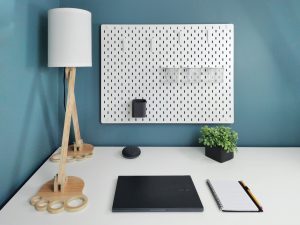
Buying a study room desk lamp might seem straightforward, but it’s easy to make choices that actually hinder your productivity and eye comfort. The main goal here is to help you navigate those common pitfalls so you can get a lamp that truly supports your studying or work, rather than just taking up space. It’s about practical illumination that makes a real difference.
Overlooking Lumens and Kelvin: More Than Just “Bright”
When you’re looking for a desk lamp, it’s easy to just grab one that looks good or is on sale. But two of the most critical factors often get overlooked: lumens and Kelvin. These aren’t just technical jargon; they dictate how bright your lamp actually is and what kind of light it produces, which directly impacts your comfort and focus. Getting these wrong is a common mistake that can lead to eye strain or a non-productive environment.
Underestimating Lumens for Adequate Brightness
Many people still think in terms of watts when buying a light bulb, but with modern LED technology, lumens are the true measure of brightness. A higher wattage doesn’t always mean more light, especially with energy-efficient bulbs. The mistake here is not looking for a lamp that provides enough lumens for your specific task.
If you’re reading textbooks with small print, sketching detailed diagrams, or working on intricate projects, you’ll need significantly more light than someone just casually browsing on a tablet. A common range for desk lamps is usually between 400 and 800 lumens, but for intense study or detailed work, you might want something closer to 800-1000 lumens, especially if it’s your primary light source for the task. Too few lumens means you’ll be squinting, straining your eyes, and ultimately making your work harder. It’s not about blinding light, but about sufficient, evenly distributed light that reduces shadows and glare.
Ignoring Kelvin for Optimal Light Temperature
Kelvin (K) measures the color temperature of light, ranging from warm yellow-orange to cool blue-white. This isn’t just an aesthetic choice; it significantly affects your mood, energy levels, and even sleep patterns. The mistake is picking a color temperature that’s either too warm (making you feel sleepy) or too cool (leading to eye fatigue or disrupting your circadian rhythm).
For a study environment, a neutral white light, typically in the 4000K to 5000K range, is often recommended. This “daylight” or “cool white” spectrum is known to promote alertness and concentration, mimicking natural daylight.
- Warm white (2700K-3000K): Good for relaxation, living rooms, bedrooms. Not ideal for focused study as it can make you feel drowsy.
- Neutral white (3500K-4500K): A good all-rounder, balanced for task lighting and general ambiance.
- Cool white/Daylight (5000K-6500K): Best for tasks requiring high concentration and visual acuity. Can feel a bit harsh if it’s the only light source in the room, but excellent for focused work.
Some lamps offer adjustable color temperature, which is a fantastic feature. This allows you to switch to a warmer light if you’re winding down in the evening, and a cooler light for intense study sessions during the day. Failing to consider Kelvin can leave you with a lamp that actively works against your productivity.
Neglecting Adjustability and Ergonomics
A desk lamp isn’t just a static light source; it should be an adaptable tool that supports your posture and reduces eye strain. A major mistake is picking a lamp that can’t be adjusted to suit your specific needs, your desk setup, or the task at hand. Poor adjustability quickly leads to uncomfortable shadows, glare, and ultimately, an unproductive environment.
Forgetting About Neck and Arm Flexibility
The ability to move the lamp’s head, neck, and sometimes even its base is crucial. A fixed-position lamp might look sleek, but it severely limits its utility. You need a lamp that can:
- Swivel: The head should be able to turn left and right to illuminate different parts of your desk without moving the entire lamp.
- Tilt: The head should also be able to tilt up and down, allowing you to direct light precisely onto your work surface and avoid shining it directly into your eyes.
- Extend/Retract: A lamp with an articulated arm or telescoping feature allows you to bring the light closer for detailed tasks or push it further away for broader illumination. This is especially important if you have a larger desk or frequently change your setup.
Without these features, you’ll find yourself constantly repositioning your work materials, craning your neck, or dealing with shadows cast by your own hand or body. This isn’t just an annoyance; it can contribute to poor posture and musculoskeletal discomfort over long study sessions.
Ignoring the Importance of Light Placement
Where you place your lamp and how it directs light is key to avoiding glare and shadows. A common mistake is placing the lamp directly in front of you or on the wrong side, which can create frustrating issues.
- Handedness: If you’re right-handed, the lamp should ideally be placed on your left side. If you’re left-handed, it should be on your right. This simple rule minimizes shadows cast by your writing or drawing hand, which can be incredibly distracting and make detailed work difficult.
- Avoiding Direct Glare: The light source itself should generally not be visible in your peripheral vision when you’re working. The goal is to illuminate your work surface, not your eyes. Adjustable lamps allow you to angle the light down onto your desk, preventing the bulb from shining directly into your eyes or reflecting off your screen.
- Screen Reflection: If you’re working on a computer, position the lamp so it doesn’t create glare on your monitor. Sometimes, placing the lamp slightly behind and to the side of your monitor, with the light angled down, works best to illuminate your keyboard and desk without interfering with screen visibility.
A desk lamp that can’t be easily positioned to account for your handedness, task, and other light sources in the room is a poorly chosen tool. It forces you to adapt to the lamp, rather than the lamp adapting to you.
Falling for Style Over Substance (or Vice Versa)
It’s tempting to pick a lamp solely based on its looks or, conversely, to ignore aesthetics entirely in favor of “functionality” without really understanding what functionality means. Both approaches can lead to disappointment. The mistake here is not finding a balance between design that fits your space and practical features that genuinely enhance your study experience.
Prioritizing Aesthetics Over Practical Functionality
A beautifully designed lamp can elevate your study space, but if it doesn’t provide the right kind of light or lacks essential adjustability, it’s essentially a decorative object that takes up valuable desk real estate. Common pitfalls include:
- Fixed position lamps: As mentioned, these often look elegant but are highly inflexible for different tasks.
- Lamps with insufficient light output: A sleek, minimalist lamp might house a low-lumen bulb that’s inadequate for reading or detailed work, leading to eye strain.
- Lamps with non-replaceable bulbs: Many modern LED lamps integrate the light source directly into the design. If the LEDs burn out and can’t be replaced, the entire lamp becomes useless, despite its initial aesthetic appeal. Always check if the bulb is user-replaceable or if the expected lifespan of the integrated LEDs is genuinely long (50,000+ hours).
- Lamps with poor light distribution: Some stylish lamps might create harsh hotspots or uneven illumination, leaving parts of your desk in shadow. A good task lamp should provide a broad, even spread of light.
It’s crucial to evaluate whether the lamp’s design genuinely supports its primary function: providing effective, comfortable light. Don’t let a catchy design overshadow practical lighting requirements.
Ignoring Desk Space and Lamp Footprint
Your desk probably isn’t infinite. Another common mistake is choosing a lamp that’s either too big, taking up precious workspace, or too small, failing to provide adequate illumination over your working area.
- Footprint size: Consider how much space the lamp’s base will occupy. If you have a small desk, a lamp with a heavy, wide base might be impractical. Options like clamp-on lamps (which attach to the edge of your desk) or lamps with small, weighted bases can be excellent space-savers.
- Reach and Coverage: A lamp’s reach determines how much of your desk it can illuminate. A compact lamp might look great, but if its light doesn’t extend across your entire work area, you’ll still be working in shadows. Consider the dimensions of your desk and the typical area where you perform tasks. An articulated arm lamp often offers the best balance of compact base and wide reach.
- Lamp Height: The height of the lamp is also important. If it’s too short, you might not get enough spread of light. If it’s too tall and fixed, it could end up shining directly into your eyes or reflecting off your screen.
Think about how the lamp will physically fit into your existing setup. A lamp that looks good in a showroom might be a clunky, inconvenient obstruction on your actual study desk.
Skimping on Quality and Features
It’s natural to want to save money, but with a study lamp, truly skimping can be a false economy. A cheap lamp might seem like a good deal initially, but it often sacrifices crucial elements that contribute to eye comfort, durability, and overall effectiveness. The mistake here is prioritizing the lowest price over features that genuinely improve your long-term study experience.
Overlooking Dimming Capabilities
Most study tasks don’t require maximum brightness all the time. Being able to dim your lamp is a hugely beneficial feature that many people overlook. A lamp with a dimmer allows you to:
- Adjust to ambient light: On a bright sunny day, you might need less artificial light. In the evening or on a gloomy day, you’ll need more. A dimmer lets you perfectly balance your task lighting with the natural light in the room, reducing harsh contrasts that strain your eyes.
- Reduce glare: Sometimes, maximum brightness can cause glare on shiny surfaces or off your computer screen. Dimming the light can eliminate this without plunging your workspace into darkness.
- Conserve energy: Lowering the brightness naturally uses less electricity, extending the life of your LED bulbs and saving a tiny bit on your energy bill.
- Adapt to different tasks: Reading a physical book might require a different light level than working on a laptop or sketching.
- Ease into the evening: As the day progresses, transitioning to slightly lower light levels can help signal to your body that it’s time to wind down, reducing disruption to your sleep cycle.
Lamps with stepless dimming (where you can adjust the brightness smoothly across a wide range) are generally preferred over lamps with only a few fixed brightness settings, as they offer more precise control.
Ignoring Build Quality and Materials
A desk lamp isn’t just about the light it produces; it’s about how long it lasts and how reliably it performs. A very cheap lamp might use flimsy plastics, weak joints, or low-quality electronics that fail prematurely. The mistake is assuming all lamps are built equally.
- Materials: Lamps made from metal (aluminum, steel) generally offer better durability and stability than those made from thin plastic. Check the joints and hinges – do they feel sturdy? Will they hold their position over time, or will the lamp head start to sag after a few months?
- Base Stability: A stable base is essential, especially for lamps with long, articulated arms. A heavy, well-weighted base prevents the lamp from tipping over, which can be dangerous and damage the lamp.
- Switch Durability: Touch-sensitive switches or simple on/off rockers are common. Ensure they feel responsive and robust. Flimsy switches are often the first component to fail.
- Power Cord and Adapter: Check the quality of the power cord and adapter. A cheap, lightweight adapter can be a sign of lower internal component quality, potentially leading to overheating or early failure.
- Heat Dissipation: For LED lamps, good heat dissipation is crucial for longevity. High-quality lamps often use metal housings or heat sinks to draw heat away from the LEDs. Poor heat management can significantly shorten the lifespan of the light source.
Investing a little more in a lamp with better build quality often pays off in the long run through greater reliability and a longer useful life.
Forgetting About USB Charging Ports and Other Integrations
Modern desk lamps often come with integrated features that can significantly enhance convenience in a study space. Overlooking these can mean missing out on easy utility.
- USB Charging Ports: Many desk lamps now include one or more USB-A or even USB-C charging ports in their base. This is incredibly handy for charging your phone, tablet, wireless headphones, or other USB-powered devices without needing another wall adapter or occupying another power outlet. It helps keep your desk tidier and reduces cable clutter.
- Wireless Charging: Some advanced lamps even incorporate wireless charging pads (Qi-compatible) into their base. If your phone supports wireless charging, this is a very convenient feature for keeping your device topped up while you work.
- Timer Functions: Some lamps offer built-in timers, which can be useful for focused study blocks (e.g., 30 or 60 minutes) or as a reminder to take a break.
- Memory Function: A lamp with a memory function will recall your last brightness and color temperature setting when you turn it back on, saving you the hassle of readjusting it every time.
While these features aren’t essential for light output, they add significant value and convenience to a study setup. Thinking about your device charging needs can help you select a lamp that serves multiple purposes.
Ignoring Flicker and Blue Light Concerns
In the pursuit of brightness and affordability, it’s easy to overlook crucial aspects of light quality that directly impact eye health and comfort: flicker and excessive blue light. These are not just minor inconveniences; they can contribute to eye strain, headaches, and even disrupt sleep.
Dismissing the Impact of Flicker
Flicker, while often imperceptible to the naked eye, is a common issue with lower-quality LED lamps. It occurs when the light source rapidly cycles on and off due to inconsistencies in the electrical current. The mistake here is assuming all LED lights are flicker-free.
Even if you can’t consciously see it, your brain and eyes are still reacting to this rapid change in light intensity. This can lead to:
- Eye Strain and Fatigue: Constant pupil adjustment in response to flicker is tiring for your eyes.
- Headaches and Migraines: For sensitive individuals, flicker can be a trigger for headaches.
- Reduced Concentration: Subconscious visual discomfort can make it harder to focus on tasks.
- Stroboscopic Effect: In some cases, flicker can make moving objects appear to have multiple images, which is highly distracting.
Look for lamps that specifically mention “flicker-free” or “low flicker” technology. High-quality LED drivers are designed to minimize or eliminate this issue. Reading reviews can also be helpful, as users sometimes report flicker issues. It’s a subtle but significant factor in long-term comfort.
Not Considering Blue Light Exposure
All light contains blue light, but cool white and daylight-temperature LEDs emit a higher proportion of it. While blue light during the day can be beneficial for alertness, excessive exposure, especially in the evenings, can interfere with your body’s natural melatonin production, disrupting your sleep cycle. The mistake is not being mindful of the potential impact of high-Kelvin light late in the day.
For a study lamp, a cooler color temperature (4000K-5000K) is generally good for focus during daylight hours. However, if you frequently study into the late evening or night, using a lamp fixed at 5000K or higher can be problematic.
- Adjustable Color Temperature: The best solution is a lamp with adjustable color temperature. This allows you to use a stimulating cool white light during the day for focus and switch to a warmer (2700K-3500K) light in the evening to minimize blue light exposure before bed.
- “Eye-Caring” or “Blue Light Filter” Features: Some lamps market themselves with these features. While the terminology can sometimes be marketing fluff, it’s worth investigating if they genuinely offer a warmer temperature option or specific technology to reduce the most harmful spikes in the blue light spectrum.
- Breaks and Ambient Light: Even with a good lamp, taking regular breaks from screens and bright task lighting, and ensuring your general room lighting is warmer in the evenings, can help mitigate blue light concerns.
Being aware of the color temperature and its potential effects, especially during prolonged use at night, is a smart way to protect your eyes and sleep patterns. A lamp that offers flexibility in this regard is a significant advantage.